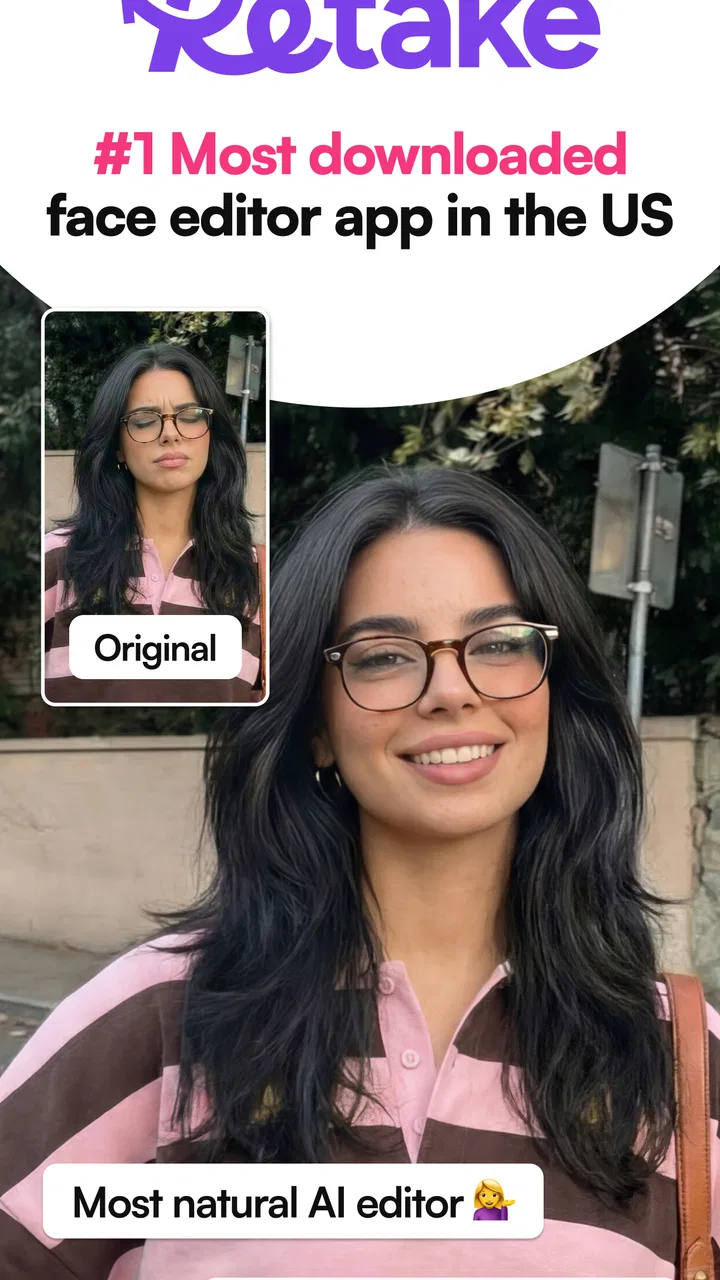
Retake AI: Face & Photo Editor
- 3.8
- Rating
- 10.00M
- Installs
- Free
- Price

 Analysis by App-foxy
I approached Retake AI: Face & Photo Editor as a practical selfie tool rather than a full photography studio. Its focus is clear: improve faces in existing photos with retouching and editing controls that are meant to be quick enough for everyday use. After spending time with it, I found the app most useful when I already had a decent image and wanted to make small, noticeable corrections without opening a much more complicated editor.
That distinction matters. This is not the kind of app I would choose for building a complete visual project, correcting professional product images, or managing a large photo library. It is aimed at the moment after taking a selfie, when the lighting is acceptable but the face looks tired, uneven, or less polished than expected. The best results come from treating it as a finishing tool, not as a replacement for good framing and natural light.
How I use Retake AI for a reliable starting workflow
My usual routine begins before touching a slider. I choose the clearest original image I have, preferably one where the face is not hidden by hair, sunglasses, a hand, or a strong shadow. AI-based face editing can only make sensible adjustments when it can identify the important areas, so a sharp image gives me more control than a heavily compressed screenshot or a dark indoor photo.
You May Also Like

 Google Keep - Notes and lists
Google Keep’s Quiet Growth Shows the Appeal of Simpler Notes
As mobile work gets busier, Google Keep keeps winning a simple contest: capture a thought quickly, find it later, and get on with the day.

 Blood Strike: 2.5 Anniversary
Blood Strike’s Loadouts Turn Every Drop Into a Tactical Gamble
A close look at Blood Strike’s custom loadouts: how fast access to signature weapons reshapes its battle royale rhythm, rewards preparation, and narrows the gap between fights.

 Pandora - Music & Podcasts
Pandora’s Music Is Easy to Start, but Harder to Recover
Pandora’s strength is its low-effort path from a seed to a station. Its weak spot is how much confidence it asks you to place in connection, setup, and quiet recovery.

 8 Ball Pool
 Is Built on Rivalries, Rematches, and Routine
A close look at the rivalries, rematches, shared routines, and unanswered safety questions that turn a quick pool match into a persistent mobile community.

 Samsung Music
’s Quiet Strength Is Playing What You Already Own
Its reach comes less from spectacle than from dependable access to a personal library. That simplicity is both the app’s strongest retention engine and its ceiling.

 AccuWeather: Weather Radar
AccuWeather Review: A Quick, Clear Forecast for Everyday Decisions
For everyday plans, the best forecast is the one you can understand quickly. AccuWeather makes rain timing, radar, and local conditions easy to act on, with a few trade-offs.
More From Our News Desk



Once the image is open, I make one broad correction first and then inspect the face at a closer view. I avoid changing several things at once because it becomes difficult to tell which adjustment helped and which one made the result artificial. A small correction to skin appearance, followed by a careful look at the eyes, mouth, and facial outline, is a more dependable sequence than immediately pushing every available effect.
The app’s main strength is convenience. I do not need to move a portrait into a desktop editor, create layers, or learn a long list of professional tools just to prepare a profile picture. For a casual selfie, a social post, or a photo I want to send to a friend, that reduced friction is valuable. I can concentrate on whether the person still looks like themselves instead of managing a technical workflow.
My first practical rule is to keep the untouched image available. I compare the edited version with the original before saving or sharing, preferably after looking away for a few seconds. That pause exposes over-editing surprisingly quickly. A face can seem smoother or brighter at first glance, yet look less believable when compared directly with the source.
The app is free to install, and its age rating is Everyone, which makes it approachable for a broad audience. It includes optional in-app purchases ranging from $1.99 to $59.99 per item, so I would not assume that every editing possibility is included at no cost. I check what is available in the current editing screen before investing time in a particular style, especially if I am preparing several photos.
Small adjustments work better than dramatic corrections
The most useful habit I developed was making a change, checking the whole face, and then reducing the strength slightly. Retouching tools often look impressive when viewed close up, but the final image is normally seen at a smaller size. An effect that seems subtle while editing may become obvious in a thumbnail or messaging app preview.
I also avoid trying to repair a poor photograph entirely inside the app. If the face is badly blurred, the exposure is severely wrong, or the expression is caught at an awkward moment, retouching cannot turn it into a natural portrait. In those cases, taking another photo is usually faster and more convincing. Retake AI is at its best when the original already contains a usable expression and composition.
For a realistic everyday example, imagine taking a quick selfie before a video call or while traveling. The background may be fine, but the light from a window creates uneven shadows and the skin looks more fatigued than it did in person. I would select the sharpest frame, apply restrained face corrections, compare it with the original, and save a version that still shows normal texture. That workflow takes less effort than rebuilding the image in a general-purpose editor.
Settings and choices worth checking before editing seriously
Because this is a face-focused editor, I pay attention to the boundary between correction and transformation. The closer an adjustment gets to changing facial proportions, the more important it becomes to inspect the result from a normal viewing distance. A face can remain technically clean while losing familiar details that make the portrait feel like the person who took it.
I recommend deciding what the photo is for before editing. A private image sent to one person can tolerate a different look from a public profile photo. For a professional-looking avatar, I prefer modest changes and a clear likeness. For a playful social post, I may accept a stronger style, but I still check that the eyes, teeth, hairline, and face shape do not appear disconnected from the rest of the image.
One less obvious trade-off is consistency. If you edit a group of selfies, applying a different intensity to each one can make the same person look strangely different across a profile. I find it better to choose one reference image, decide how much smoothing or enhancement feels believable, and use that as a visual guide for the others. Even when the app does not turn this into a formal preset workflow, a personal reference makes the results more coherent.
Another useful check is the image’s lighting direction. Retouching can make skin look cleaner, but it cannot always restore believable light across the face. If one side is strongly shadowed, a heavy correction may produce a flat appearance while leaving the background unchanged. I would rather preserve some natural contrast than make the face look pasted onto the scene.
Before sharing, I inspect the image at its intended size. Zooming in helps identify strange edges and uneven details, but it can also encourage unnecessary editing. Looking at the final crop in a messaging preview or profile-photo frame tells me more about whether the result works in practice. This is especially important when the original image will be reduced, because subtle facial changes can become less visible while smoothing remains obvious.
What I would prepare before opening the editor
I keep the original photo, choose a clear crop, and decide on one goal. That goal might be making the face look less tired, balancing a distracting imperfection, or creating a cleaner profile image. When I try to solve all of those at once, I tend to overwork the portrait. A single purpose gives each adjustment a clear test: did it improve the image without making the subject look unfamiliar?
I also consider whether the photo contains more than one face. Face-oriented tools are easiest to judge on a straightforward portrait with one clear subject. In a group image, I would be cautious about applying a correction intended for one person across the whole frame. If the main goal is editing several people equally, a broader photo editor may be a better fit than a tool centered on individual facial retouching.
Retake AI runs on Android starting with version 8.0, so it is accessible on many older devices as well as newer ones. The current version is 3.1.0, and I would still keep the app updated through the normal store process because editing behavior and compatibility can change over time. I would not choose an unsupported workaround simply to force it onto a device that does not meet the operating requirement.
Faster patterns that keep the result consistent
Experienced use is less about finding one magical control and more about repeating a sensible order. My quick pattern is: select the best original, make the smallest useful correction, inspect the face and its edges, compare with the source, and then save only when the image still looks natural at normal size. This avoids the common cycle of adding effects, removing them, and losing track of what actually improved the portrait.
For several images from the same outing, I edit the strongest photograph first. That image becomes my reference for intensity, skin appearance, and overall mood. I then work through the remaining photos with the same restraint. This is more reliable than beginning with the worst image, because a weak source can tempt me into extreme adjustments that do not translate well to better photos.
A second efficient pattern is to separate selection from editing. I first remove blurry, poorly framed, or awkwardly timed images. Only then do I spend time retouching. It sounds simple, but it prevents wasted effort and makes the app feel much faster. No face editor can compensate for a closed eye or an expression that does not suit the purpose of the photo.
I also use a before-and-after pause. After making the changes, I switch my attention to something else for a moment and return to the image as if I were seeing it for the first time. This helps me notice when the face has become too smooth or when a correction has changed the person’s character. The best result is usually the edit I stop noticing after a few seconds.
For social profiles, I leave extra space around the face before finalizing the image. A tightly edited portrait may look good in the app but become awkward when a platform crops it into a circle or square. Keeping the composition flexible is a practical advantage, particularly when the same image may be reused in different places.
When I want a more creative result, I treat the stronger effects as a deliberate style rather than pretending they are invisible corrections. That makes the decision clearer. A visibly stylized portrait can work when it matches the post, while a supposedly natural headshot benefits from restraint. Mixing both approaches in the same image usually creates the least convincing outcome.
Where the app reaches its limits
The biggest limitation is also part of its identity: this is a focused photography app, not a complete replacement for a general editor. If I need detailed background removal, layered compositing, precise color grading, typography, or careful object cleanup, I would move to a broader tool. Retake AI is more convenient for face-centered work, but convenience comes from keeping the scope narrower.
It is also not the right choice for someone who wants every edit to be fully manual. AI assistance can speed up a routine correction, but users who need exact control over individual pixels, masks, or selective adjustments may find the process restrictive. A traditional editor is slower at the beginning yet better suited to images where precision matters more than speed.
Natural texture is another boundary. Any portrait retouching app can encourage the idea that every mark should disappear. I do not think that produces the strongest images. Skin texture, small lines, and uneven features can provide realism and personality. I use the app to reduce distractions, not to erase the evidence that the photo came from a real person.
Results can also vary with the source. Clear, front-facing selfies are easier to judge than side profiles, unusual poses, low light, or faces partly covered by accessories. If the app’s interpretation looks strange on a difficult image, I would not keep forcing it. Cropping more carefully, choosing another frame, or using a manual tool may solve the problem more cleanly.
The purchase structure deserves attention as well. Since the app is free but offers individual in-app purchases, I would review the visible options before building a repeatable workflow around a particular effect. A free starting point is useful, but a person who edits frequently should consider the total cost of the features they actually need rather than assuming the free installation covers every use case.
Privacy is a sensible consideration for any face-editing application. I personally avoid importing highly sensitive images unless I understand how I want to handle them and where the finished files will go. I also prefer keeping originals separate from edited copies. That is good photo hygiene regardless of the editor, and it prevents an attractive retouch from becoming the only version of an important memory.
Who will get the most from it?
I think it suits people who want quick improvements to selfies, profile pictures, and casual portraits without learning a professional editing system. It is particularly useful for someone who takes many photos but only needs a handful of simple corrections before sharing them. The focused interface makes more sense here than opening a large creative suite for a task that takes a minute.
It is less suitable for photographers who demand repeatable technical color work, creators who need detailed composites, or anyone uncomfortable with automated facial changes. I would also steer away users who expect a poor original to become flawless. Better lighting, a cleaner lens, a steady camera, and a second attempt often matter more than another round of retouching.
Compared with a standard phone gallery editor, Retake AI is more specialized around the face and can feel quicker when the only problem is the portrait itself. Compared with a full photo editor, it is easier to approach but less flexible. That is the central trade-off: fewer decisions and a faster result in exchange for less control over the entire image.
My verdict after building a repeatable routine
Deep Flow Apps has made a focused tool for a common photography problem: a usable selfie that needs a little attention before it is shared. I like the app most when I use it conservatively, keep the original nearby, and judge the final image at the size other people will actually see. Its value is not in replacing the photographer; it is in shortening the distance between a nearly good portrait and one I feel comfortable sending.
The app has a 3.9 average from around 52 thousand ratings, with over 10 million installs, so it has clearly reached a substantial audience. Those figures do not change my main advice: popularity is less important than whether its focused approach matches your habits. If you want quick face retouching and are willing to monitor the strength of each correction, the free entry point makes it easy to try.
I would recommend it to a friend who regularly needs better selfies, profile photos, or casual portraits and does not want a complicated editing lesson. I would suggest a different, more manual editor for detailed photography work or images where the background and color treatment matter as much as the face. Retake AI works best as a careful finishing step, not as permission to over-edit every picture.
Overall, I find it useful when paired with a repeatable habit: start with the best source, make one clear improvement at a time, compare against the original, and stop before the face loses its identity. Used that way, this photography app is fast, approachable, and genuinely practical for everyday portraits, while its limitations remain clear enough to avoid expecting it to do the job of a complete photo studio.
FAQs for Retake AI: Face & Photo Editor
01What features does Retake AI: Face & Photo Editor offer?
Retake AI: Face & Photo Editor provides a suite of advanced editing tools, including AI-powered retouching, background removal, and beauty filters. Users can enhance their selfies with features like blemish removal, skin smoothing, and facial reshaping. Additionally, the app offers artistic effects and a variety of filters to personalize your photos.
02Is Retake AI: Face & Photo Editor free to use?
Retake AI offers a free version with basic features, but to access premium tools and filters, users may need to purchase a subscription. The app provides in-app purchases for additional features, which can significantly enhance the editing experience. It's advisable to review the pricing details before downloading.
03Does Retake AI: Face & Photo Editor require an internet connection?
While basic editing tools can be used offline, some features of Retake AI, especially those involving AI processing or cloud-based enhancements, might require an internet connection. For the best experience and to access all available features, a stable internet connection is recommended.
04How does Retake AI handle user privacy and data security?
Retake AI prioritizes user privacy by implementing robust data protection measures. The app requires permissions to access your photos and camera but ensures that personal data is not stored or shared without consent. Users should review the privacy policy to understand how their data is managed and protected.
05Is Retake AI: Face & Photo Editor compatible with all devices?
Retake AI is available for both Android and iOS platforms, but compatibility may vary based on the device's operating system version. It's important to check the app's requirements on the Google Play Store or Apple App Store to ensure compatibility with your specific device model and OS version.
Pros
- Easy to navigate interface.
- Wide range of editing tools.
- Quick processing time.
- High-quality export options.
- Frequent updates with new features.
Cons
- In-app purchases can be pricey.
- Occasional crashes reported.
- Limited free version capabilities.
- Some tools need improvement.
- Heavy on battery usage.

Retake AI: Face & Photo Editor
Gallery